
Pi-hole with Docker and OpenDNS
Pi-hole with Docker and OpenDNS (Network-Wide DNS, DHCP, and Monitoring)
I deployed Pi-hole in Docker as a centralized DNS and DHCP service, using OpenDNS as the upstream resolver to provide network-wide ad blocking, content filtering, and DNS-level security. The environment is fully monitored using Prometheus and Grafana, providing visibility into DNS activity, query volume, and blocked traffic across the network.
This setup treats DNS and DHCP as infrastructure services, deployed and observed using modern DevOps patterns suitable for homelabs and small office environments.
Why Docker Docker provides a clean, repeatable deployment model for Pi-hole.
- Portability across hosts and environments
- Isolation from the underlying operating system
- Simple updates and rollbacks via image versioning
- Consistent behavior across development and production setups
Why OpenDNS (Upstream DNS) OpenDNS is configured as Pi-hole’s upstream DNS provider, adding a security layer beyond local blocklists.
- Category-based content filtering
- Built-in phishing and malware protection
- Centralized policy management via the OpenDNS dashboard
- Defense-in-depth for DNS resolution
DHCP Architecture Pi-hole acts as the authoritative DHCP server for the network.
- Clients receive IP addresses, gateway, and DNS directly from Pi-hole
- DNS settings are enforced at lease time
- Eliminates reliance on consumer router DHCP services
- Ensures all devices use Pi-hole for DNS resolution
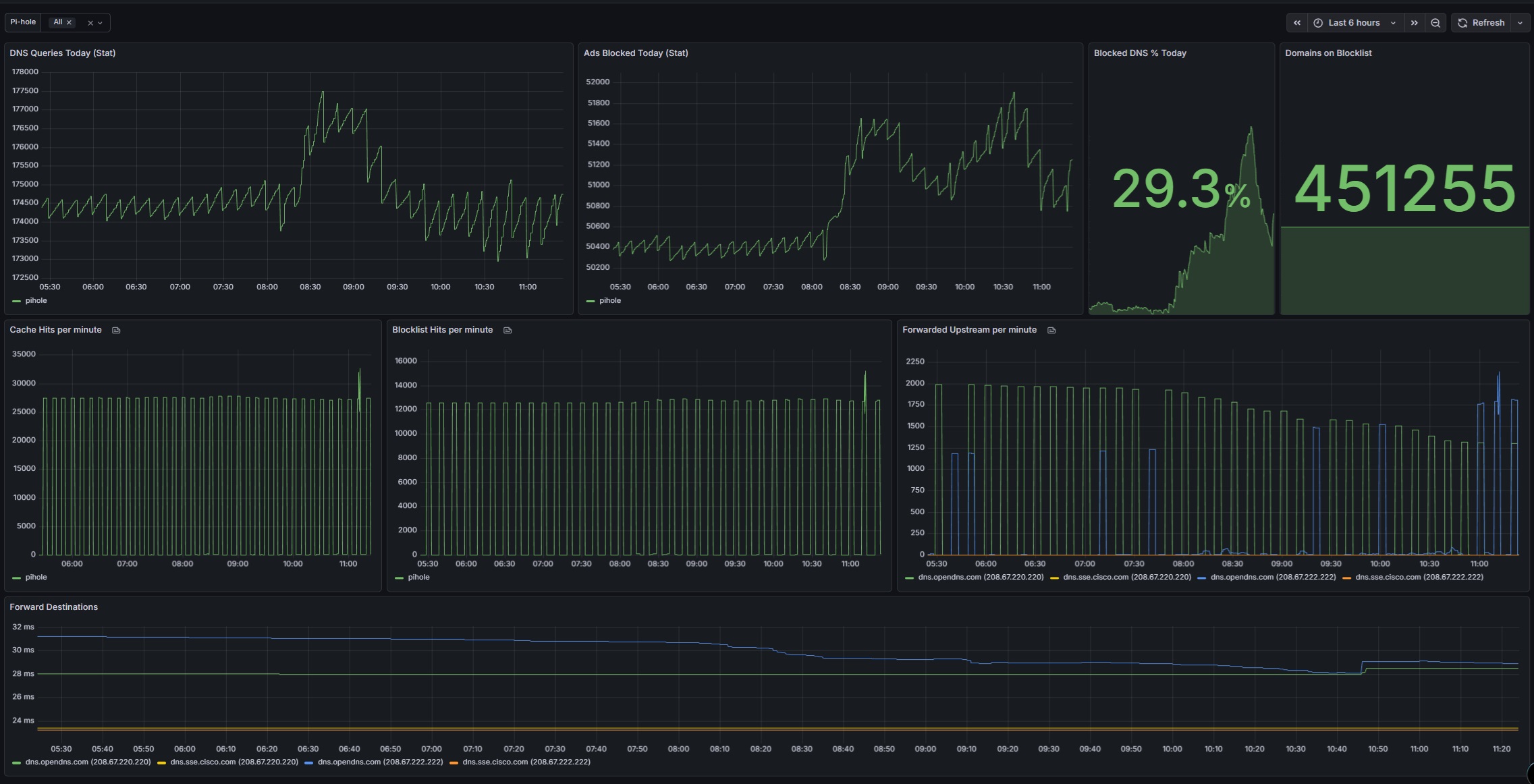
Monitoring and Observability with Grafana DNS activity is monitored using Prometheus and Grafana through a Pi-hole exporter. Metrics collected include:
- Total DNS queries
- Queries blocked by Pi-hole
- Percentage of traffic blocked
- Query types (A, AAAA, PTR, etc.)
- Top queried domains and clients
- Upstream DNS response performance
Key Benefits
- Network-wide ad blocking across all devices
- DNS-level phishing and malware protection
- Centralized DNS and DHCP control
- Real-time visibility into DNS usage and blocking behavior
- Historical trend analysis via Grafana dashboards
- Lightweight, containerized, and easily portable deployment
Use Case This configuration is ideal for homelabs and small office environments where DNS control, security, and observability are required. It demonstrates layered DNS security, centralized DHCP, and metrics-driven monitoring using Grafana.